
MGK Co., Ltd. Launches “Weather Watch” No GPS or call data collected—keep an eye on parents living far away with a weather app About 10 yen per day; free for the first 30 days
The only app on my parents' phones is the weather app. I send them an email once a day with updates on their phone's status, such as charging and screen activity.
株式会社エム・ジー・ケイ

MGK Co., Ltd. (Headquarters: Chuo Ward, Osaka City; Representative Director: Masafumi Yamazaki;hereinafter “MGK”) has released “Mimamori Otenki,” a monitoring service that provides an indication of the well-being of parents living apart based on their smartphone’s usual activity patterns, on Google Play starting Wednesday, November 11, 2026.
When the “Mimamori Otenki” weather app (available on Google Play) is installed on a parent’s Android smartphone, the app checks the device’s status once every two hours and sends a daily email to the family member providing care (such as a son or daughter) with a report on the parent’s condition that day.Parents do not need to press any buttons or wear any devices. The service does not collect location data (GPS) or call content.
The cost is approximately 10 yen per day (300 yen per month, tax included, for each parent using the service). The first 30 days are free, and you can get started without registering a credit card.
Official Website: https://mimamori-otenki.com/
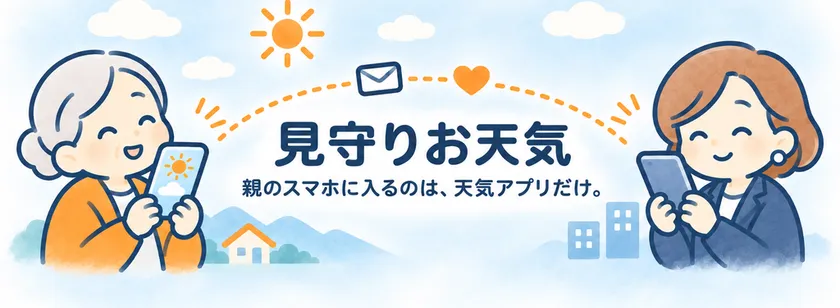
“Weather Watch”: The only thing that appears on a parent’s smartphone is a weather app.
[The Inspiration Behind This App — My Mother Was Left Alone at Her Family Home]
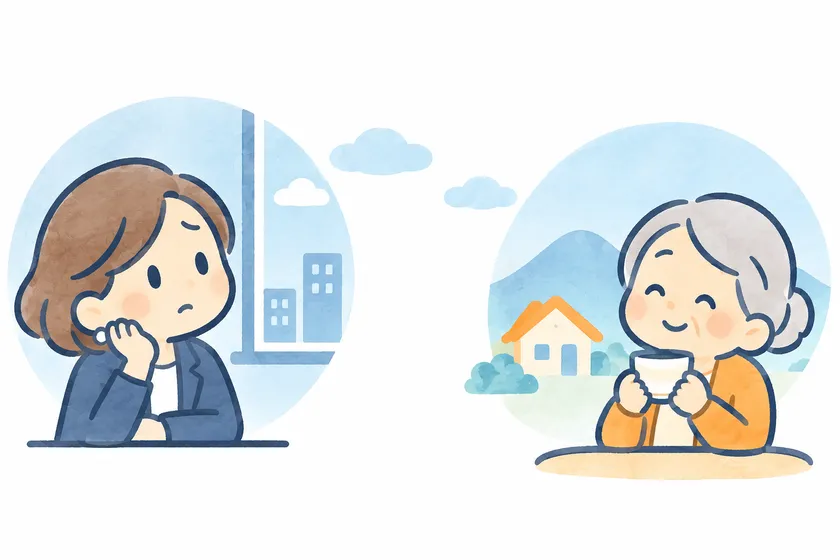
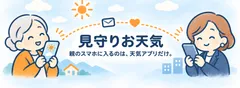
An image of a family concerned about a parent living far away
At the family home of MGK CEO Masafumi Yamazaki, his grandmother and mother had been living together, but his grandmother recently passed away at the age of 92. His mother was left living alone in the house where the two of them had once lived together.
Yamazaki himself felt that even if he was worried about whether she was doing well, it was difficult to keep calling or sending messages via LINE every day.
So, he turned his attention to smartphones as a way to at least confirm that his mother was going about her day as usual. He reasoned that her normal usage of the phone could serve as a signal that “she’s doing fine today.”
That’s how he created “Watch Over Weather,” an app disguised as a weather app. The only app installed on a parent’s smartphone is the weather app. It does not track their location. The monitoring features are shown to the parent themselves, and the service begins only after obtaining their consent.
I imagine there are many others who worry about parents living far away. Yamazaki decided not to keep this system just for his own family, but to release it as a public service.
[Features of “Care Weather”]
■ Parents don’t need to do anything out of the ordinary
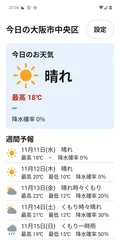
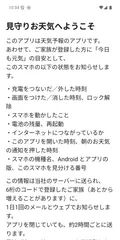
All parents need to do is check the weather as usual, use their smartphone, and charge it. There’s no need to press a button every day, answer calls, or wear any devices. When installing the app for the first time, the parent reviews the monitoring details and gives their consent.
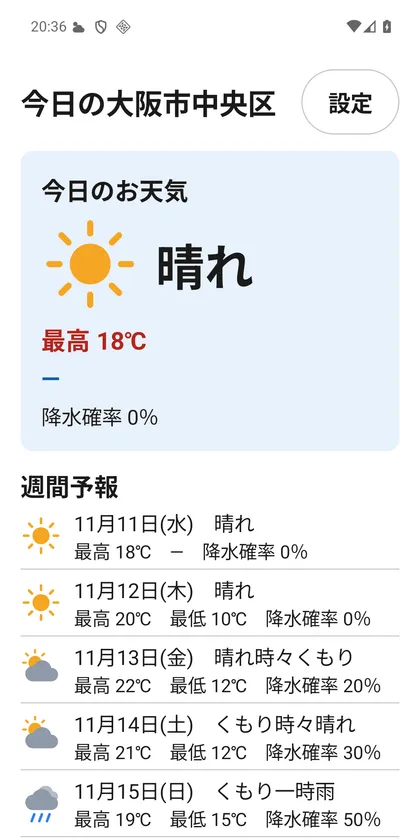
Parent’s smartphone screen (weather screen)
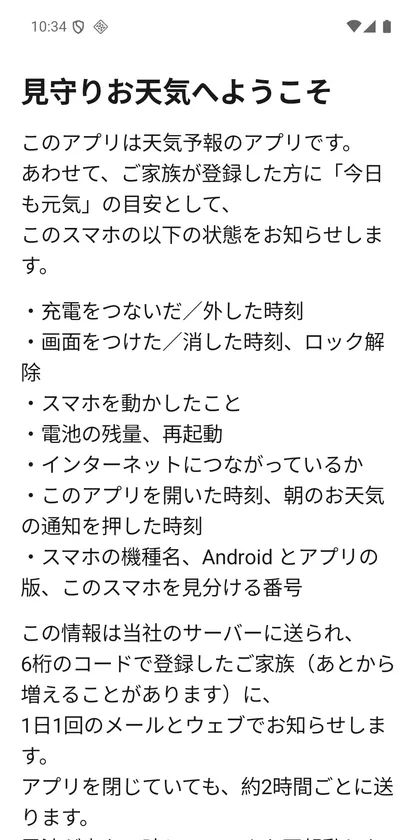
Parent’s smartphone screen (initial consent screen)
*Screenshots are from the development version.
■The app checks every 2 hours; emails are sent once a day
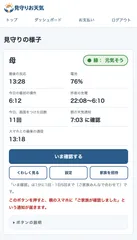
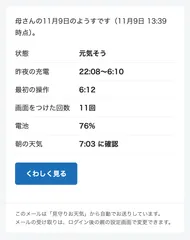
The app checks the smartphone’s status once every two hours. Family members providing supervision receive an email summarizing the day’s activities once a day at a set time. If you have any concerns, you can also use the “Check Now” button on the website to view the current status (up to 5 times per day).
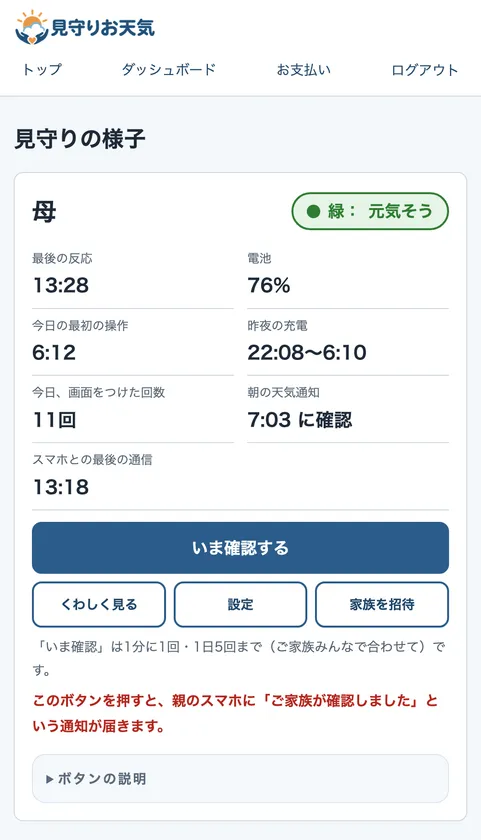
Screen for Family Members (Website) *Sample data
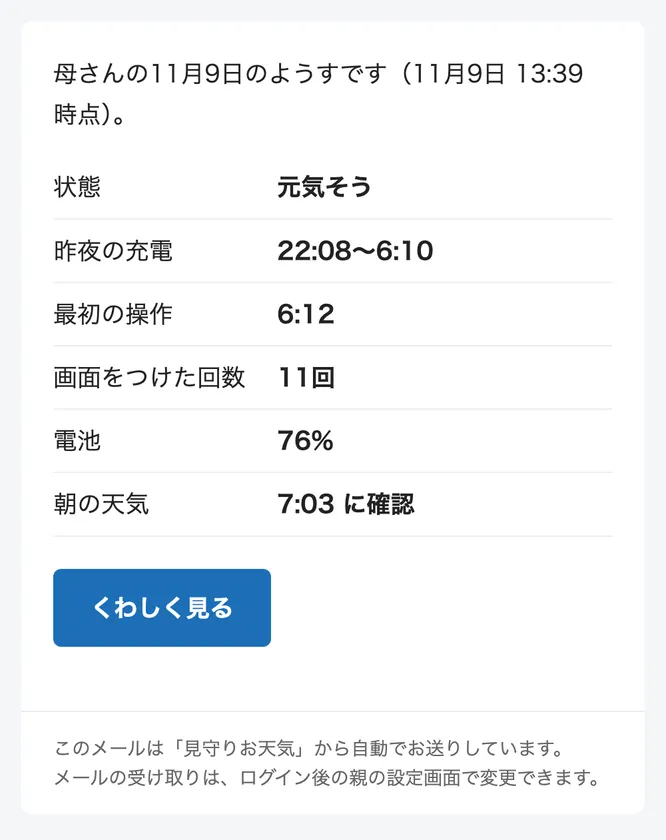
Email sent daily to family members *Sample data
*Screenshots are from the development version.
■ In case of an abnormality, an email is sent immediately—no need to wait for the daily summary
We will notify you immediately—without waiting for the daily summary email—in the following situations:
・The smartphone has not been used at all for an extended period (default setting is 12 hours; can be adjusted between 3 and 48 hours)
・No notifications have been received from the smartphone for 6 hours or more
・The app has been deleted, or the smartphone has been reset
■This is not a location-tracking app
It does not access location data (GPS), phone calls, the contents of emails or LINE messages, contacts, other app usage, or the camera and microphone. The only permission requested from the parent’s smartphone is “Notifications.” We do not hide the fact that we are monitoring; the app’s notification bar clearly displays that monitoring is in progress.
■ Caregivers can use any device and do not need the app
Family members providing supervision can use any device—iPhone, Android, or computer. No app is required, as the service is accessed via the website and email. Multiple people, such as siblings or other relatives, can work together to supervise the same parent (a separate fee applies for each person).
[Information Received and Information Not Collected]
Information Received
・Charging: The time the charging cable was connected or disconnected
・Battery: Remaining charge level and whether it is charging
・Screen: Time and number of times the screen was turned on
・Unlocking: Whether the device was unlocked
・Movement: Whether the smartphone was moved (not its location)
・Restart: Whether the device was restarted
・Morning Weather: Morning weather notifications or when the app was opened
Information Not Collected: Location data (GPS) / Phone calls / Email or LINE content / Contacts / Use of other apps / Camera and microphone
*This is not an emergency call or life-saving service. We provide an indication of your well-being based on your smartphone’s activity.
[Fees]
・Approximately 10 yen per day per parent using the service (300 yen per month, tax included)
・Free for the first 30 days; you can start without registering a credit card
・You only need to register a credit card if you wish to continue after the free trial period. If you do not register, you will not be charged, and the monitoring emails will stop (we will notify you via email before the service ends)
・Monthly payments only. You can cancel at any time
・If multiple people are monitoring the same parent, the fee applies to each monitor individually
[How to Use]
1. The family member providing care registers on the official website and receives a 6-digit code
2. Install “Care Weather” on the parent’s Android smartphone. The parent must review the terms, agree to them, and enter the code
Google Play: https://play.google.com/store/apps/details?id=jp.co.mgkinc.mimamoriotenki
3. After that, the parent simply uses their smartphone as usual. Family members providing supervision will receive a daily email
[Service Overview]
Name: Weather Watch
Official Website: https://mimamori-otenki.com/
Release Date: November 11, 2026 (App released on Google Play)
Parent’s Smartphone: Android 8.0 or later (Available on Google Play. Currently not compatible with iPhone)
Caregivers: iPhone, Android, PC (No app required; accessible via website and email)
Fee: Approximately 10 yen per day (300 yen per month per parent using the service, tax included) / Free for the first 30 days
Payment: Credit card (processed via Stripe)
[MGK Co., Ltd. Company Overview]
In addition to providing business support utilizing AI and the web, we engage in the planning of IP-licensed products, VTuber and IP production, and the operation of our own e-commerce site.
Company Name: M.G.K. Inc.
Representative: Masafumi Yamazaki, Representative Director
Address: B1F, Shinsaibashi Taiyo Building, 3-11-10 Minami-Senba, Chuo-ku, Osaka City, Osaka 542-0081
Established: October 5, 2017
Company Website: https://mgkinc.co.jp/
Image

Logo Image

- Category:
- Services